
Know what your
PC is doing.
Change it safely.
Rivet is a free Windows app that shows what's running on your PC — processes, services, startup apps and hardware — and explains each one in plain English. Change any of it with a preview first and a history you can undo. It runs entirely on your own machine.
Understand. Investigate. Act. Review.
Four things a system tool should let you do, in the order you actually do them.
See what's using your resources
Live CPU, memory, GPU, disk and network readings with a minute of history. Processes grouped by app, with the publisher and signature next to each one. Ask what a process or service is and get a plain-English answer written from readings Rivet took itself.
Find out what changed
A "what changed on this PC" timeline: installs, new startup entries, services that moved, crashes Windows recorded, and every change Rivet made. Built by comparing snapshots, so it works with or without the assistant.
Preview before you apply
Every change shows exactly what it will do — the old value and the new one — and waits for you to confirm. Startup apps, services, Windows-settings tweaks and disk cleanup all go through the same step. Nothing runs on a schedule you didn't set.
History, with undo where it's supported
Everything Rivet did, newest first. Windows settings, startup apps and service start types can be undone even after Rivet is closed and reopened. Stopping or restarting a service can be undone while Rivet is open. Cleanup and ending a process can't be undone — and each row says which it is.
Rivet
A native Windows desktop app: a live overview of your hardware, startup and service control, a catalogue of Windows settings with plain-English descriptions, disk cleanup, and an assistant that runs on your own hardware. Every change is previewed first and written to a history you can check.
+Overview — CPU, memory, GPU, disk and network, with 60 seconds of history+Processes grouped by app, with publisher and signature checks+Startup apps, services and Windows-settings tweaks — previewed, then applied+Ask Rivet and Spark (Pro) — an on-device assistant you can call up over any app+Proof — fixes, checkups and rollbacks measured before and after+Checkup, and what the last Windows update changed — with a Restore for each item+In 10 languages, with 8 themes — four with a layout of their own
Release · v3.7.0
This is what you get.
Rendered from Rivet itself on Windows 11. No composites, no render mockups — the window you install looks like this.
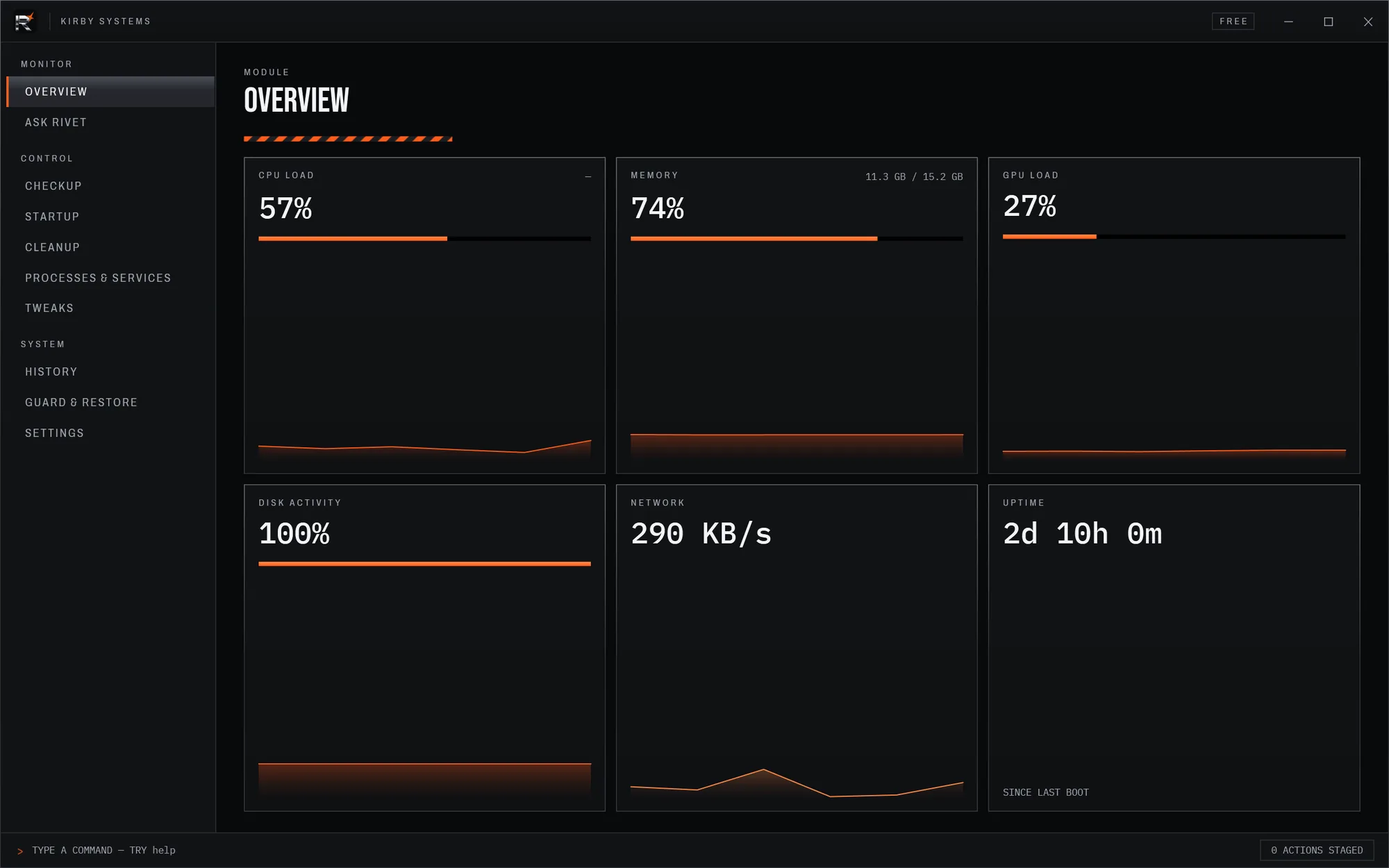
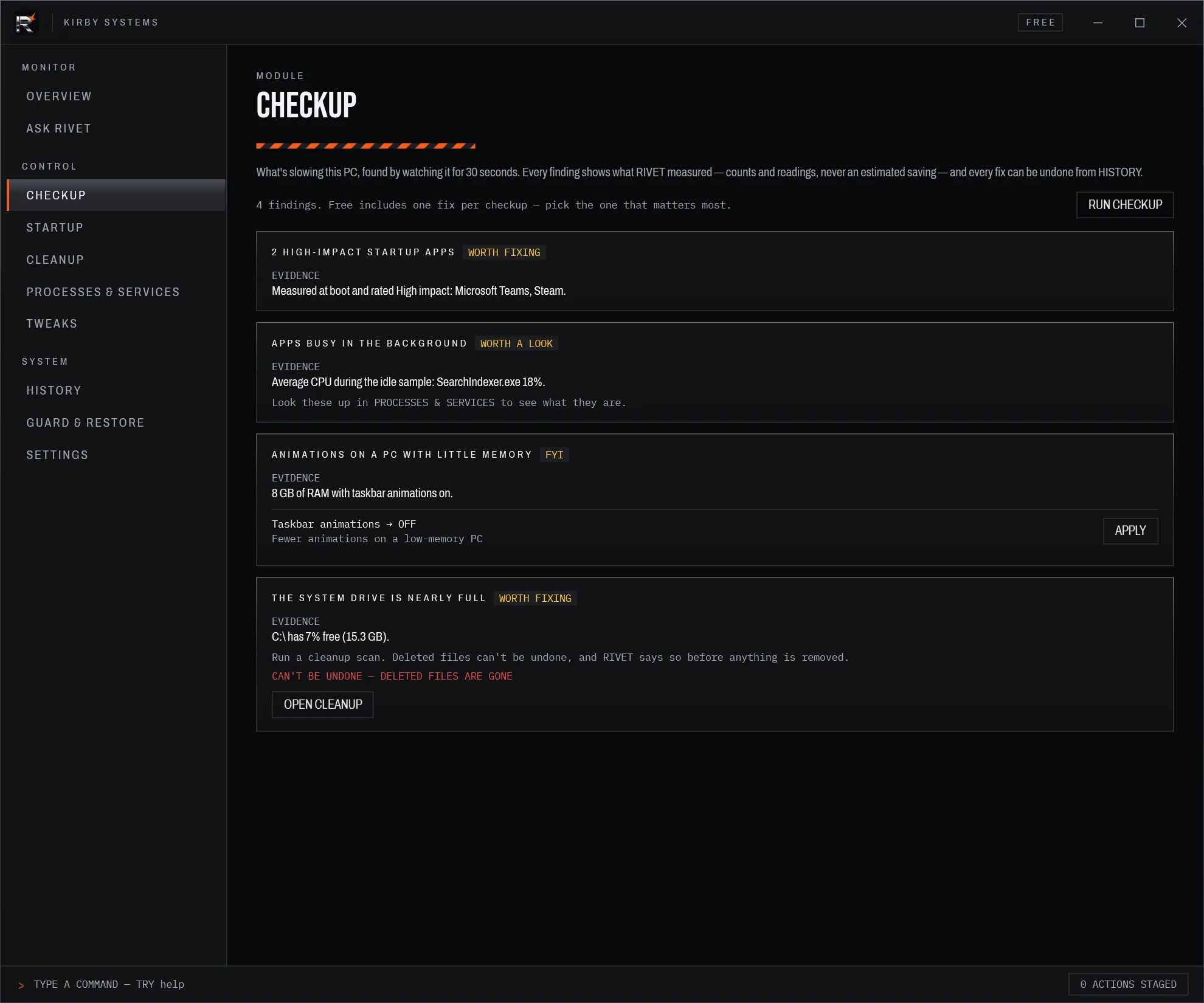
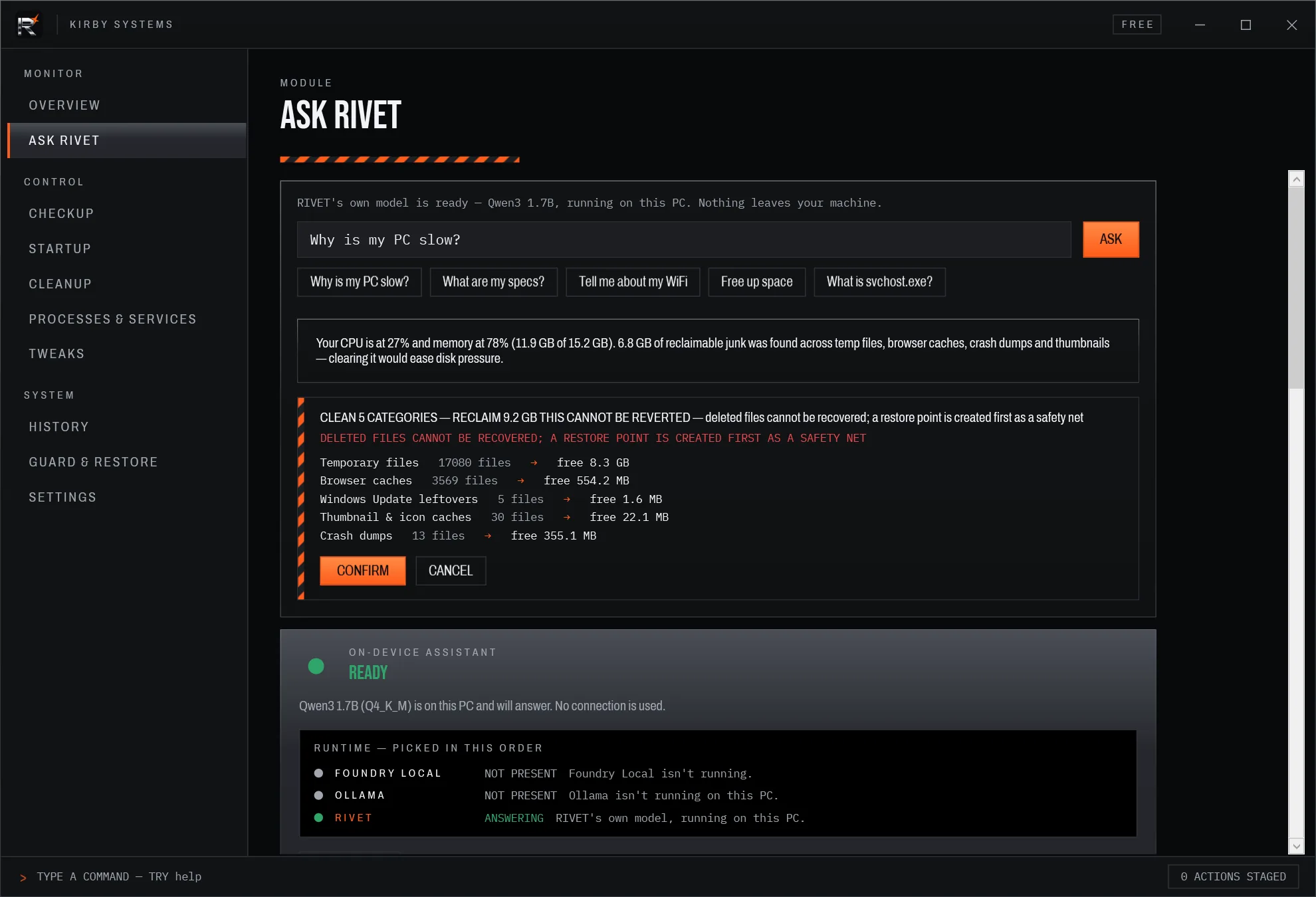
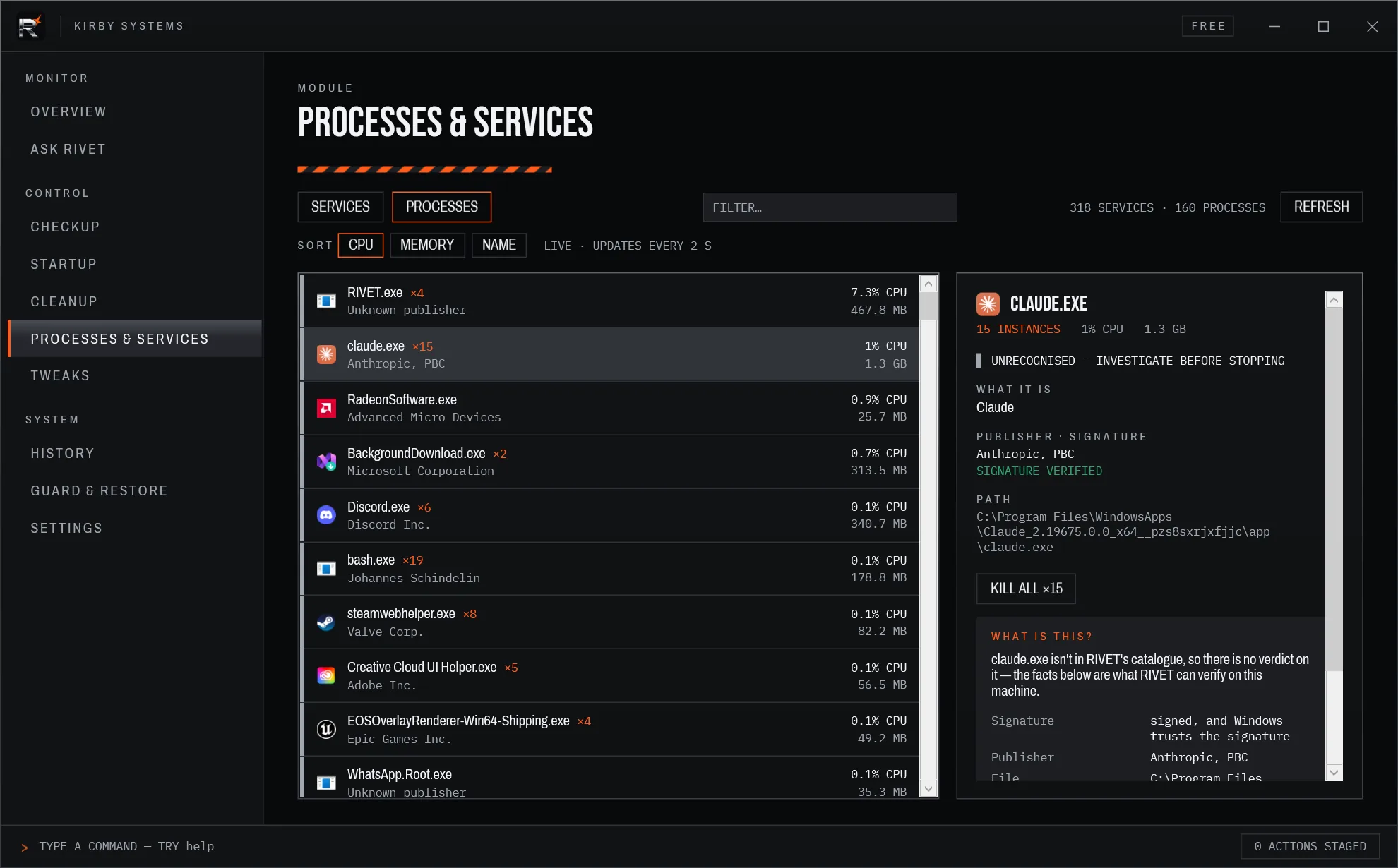
Ask it. It shows its working.
Press Ctrl+Alt+Space over any app and Spark, Ask Rivet's character, comes up to help (Pro). Answers carry the readings behind them and fixes you preview first. Fixes are measured before and after. And Rivet itself got about ten times lighter: idle on the overview, 24.4% → 2.3% of one CPU core on our test PC, and next to nothing minimised.
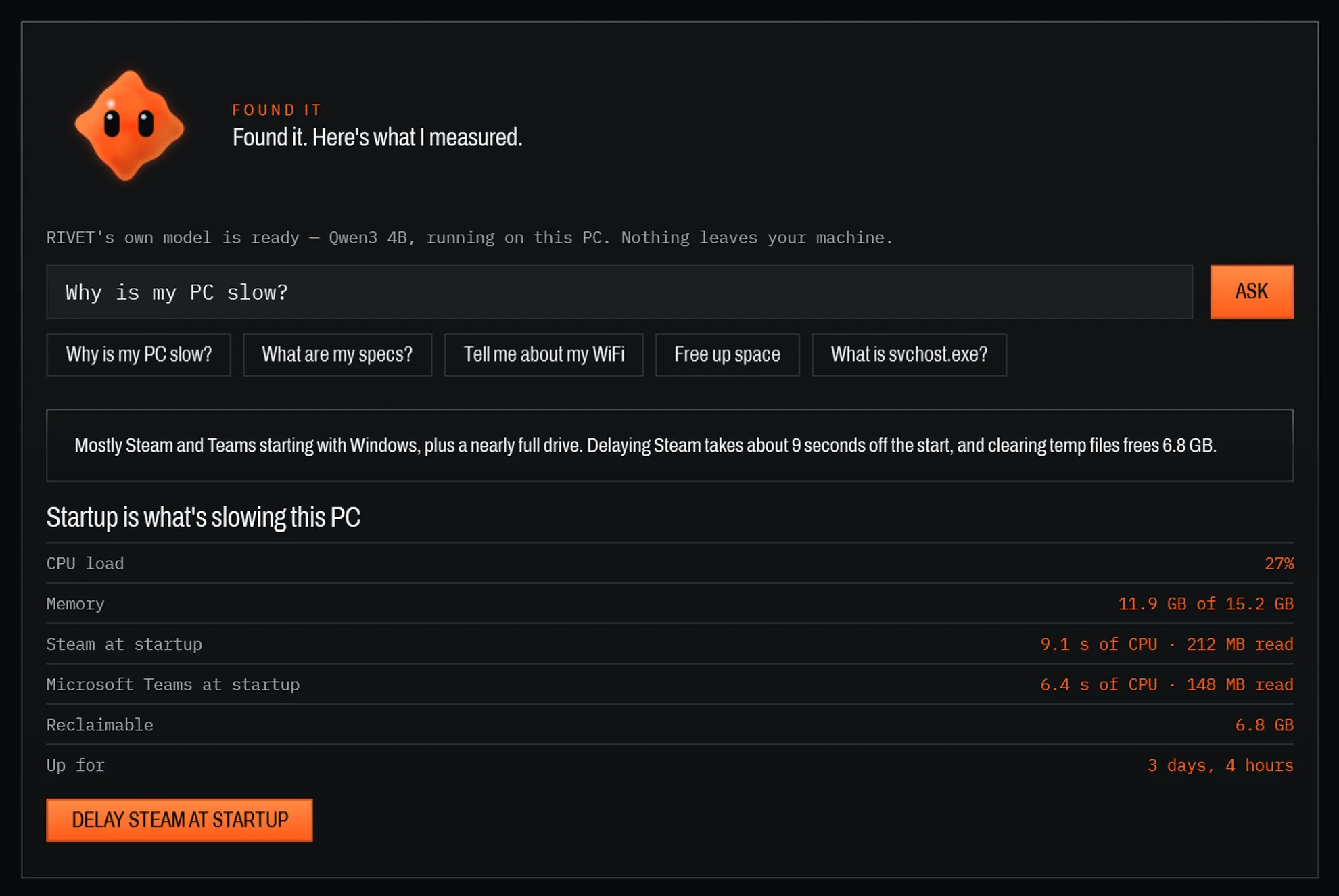
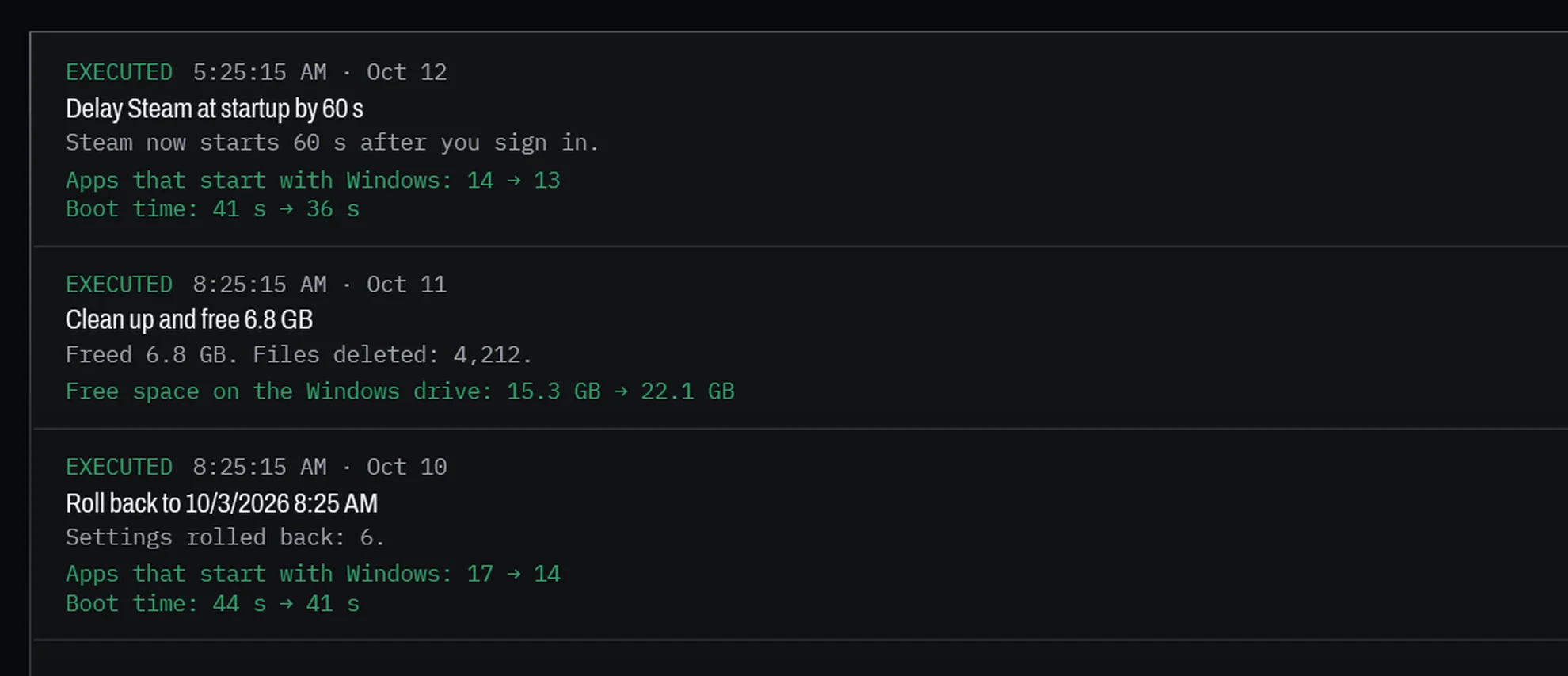
Boot time is shown only where Windows lets Rivet read its boot log; otherwise the proof line says "unavailable" rather than guessing.
Your language. Your look.
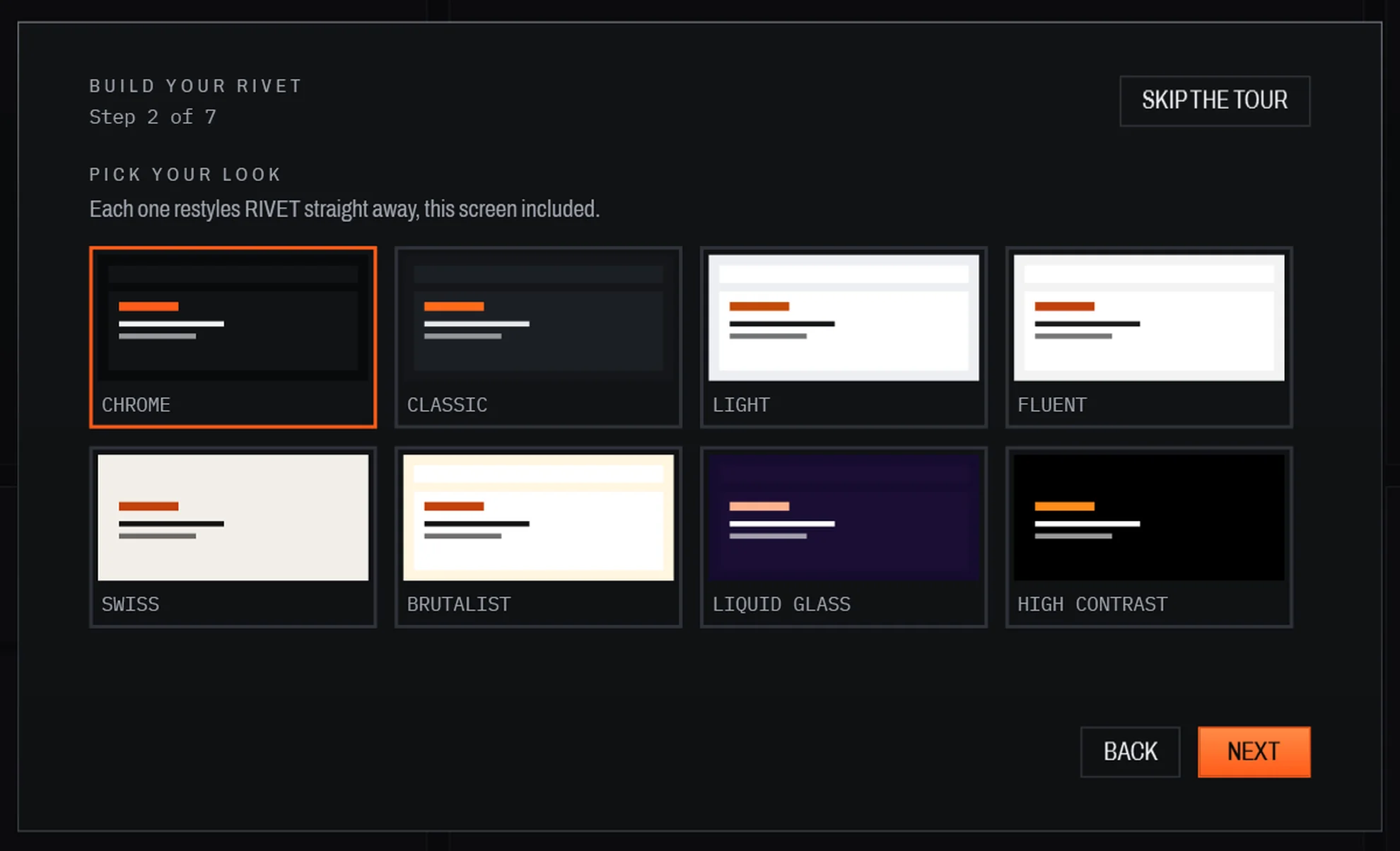
Rivet now speaks English, German, French, Spanish, Portuguese (Brazil), Italian, Polish, Japanese, Chinese (Simplified) and Korean, and follows your Windows display language. Four new themes each bring a layout of their own. Every theme meets WCAG AA contrast, respects Reduce motion and follows Windows High Contrast. Chrome stays the default.
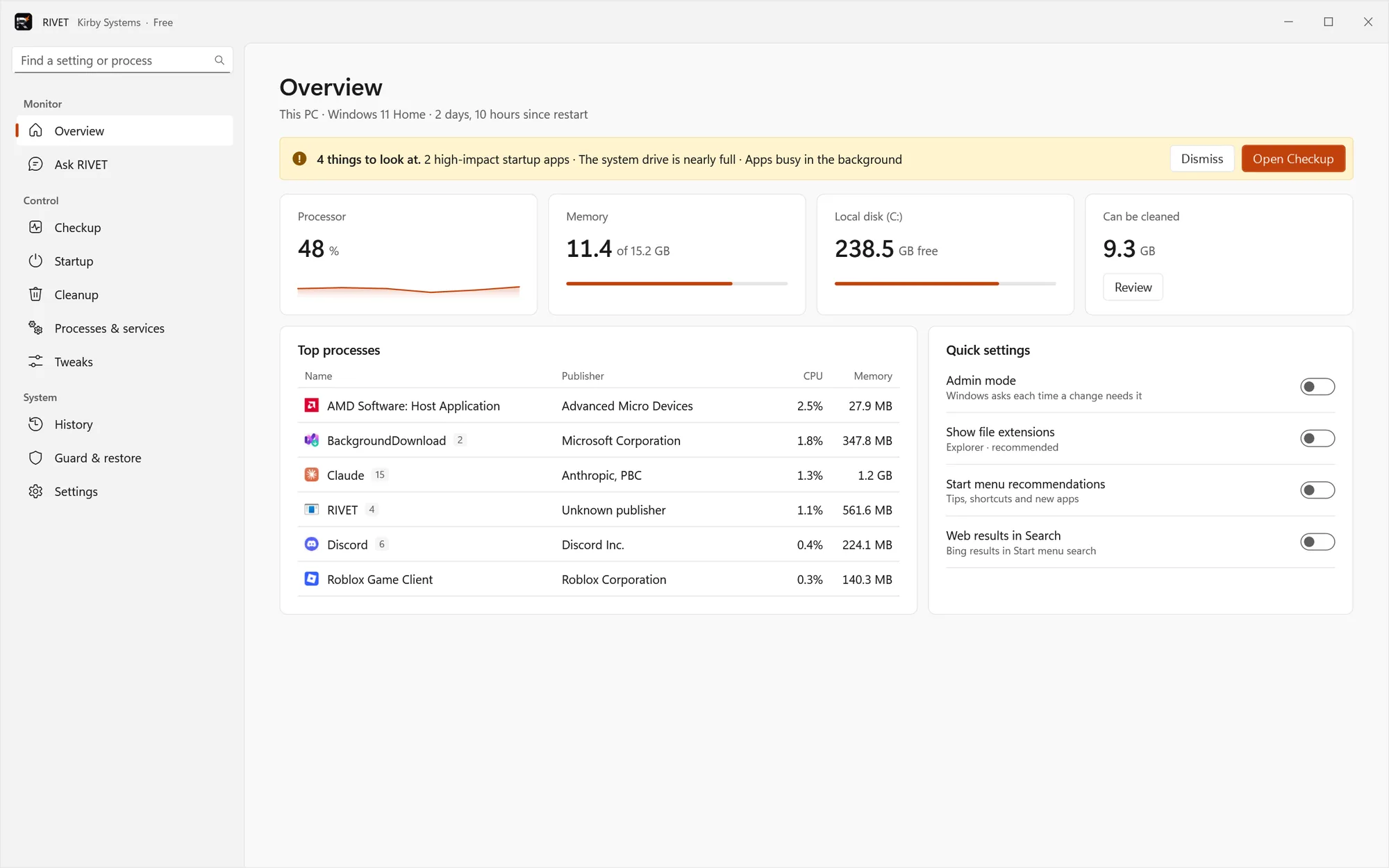
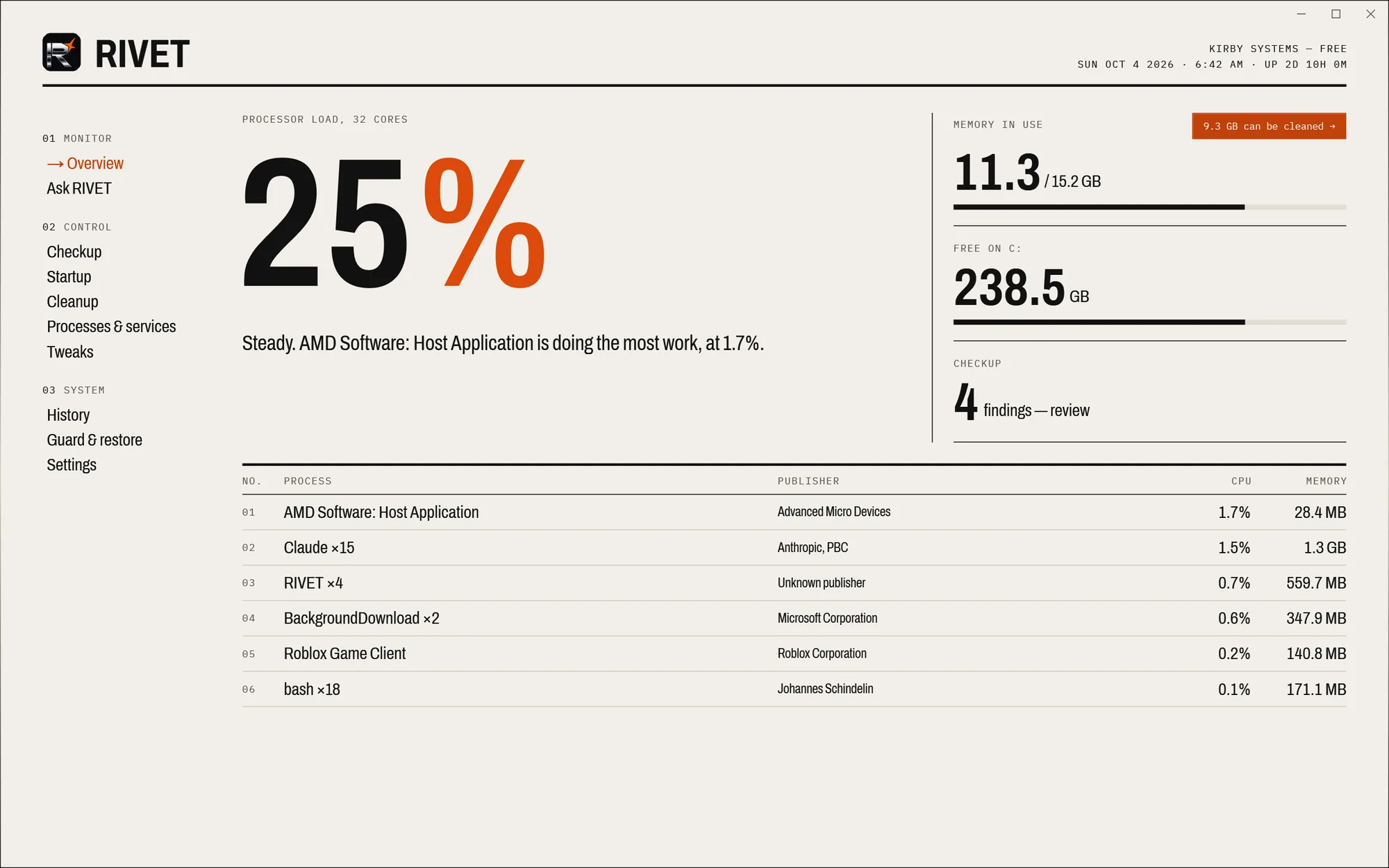
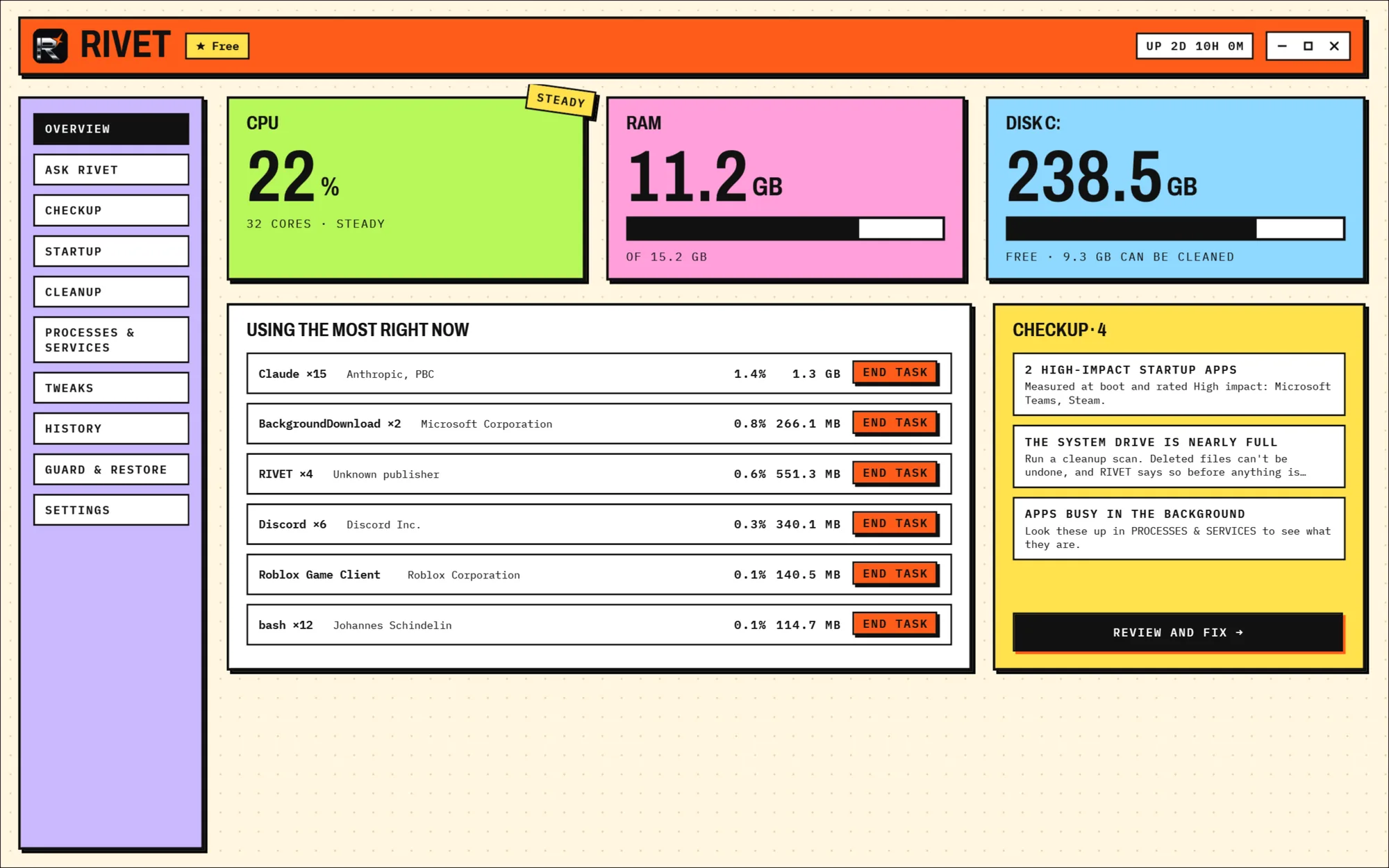
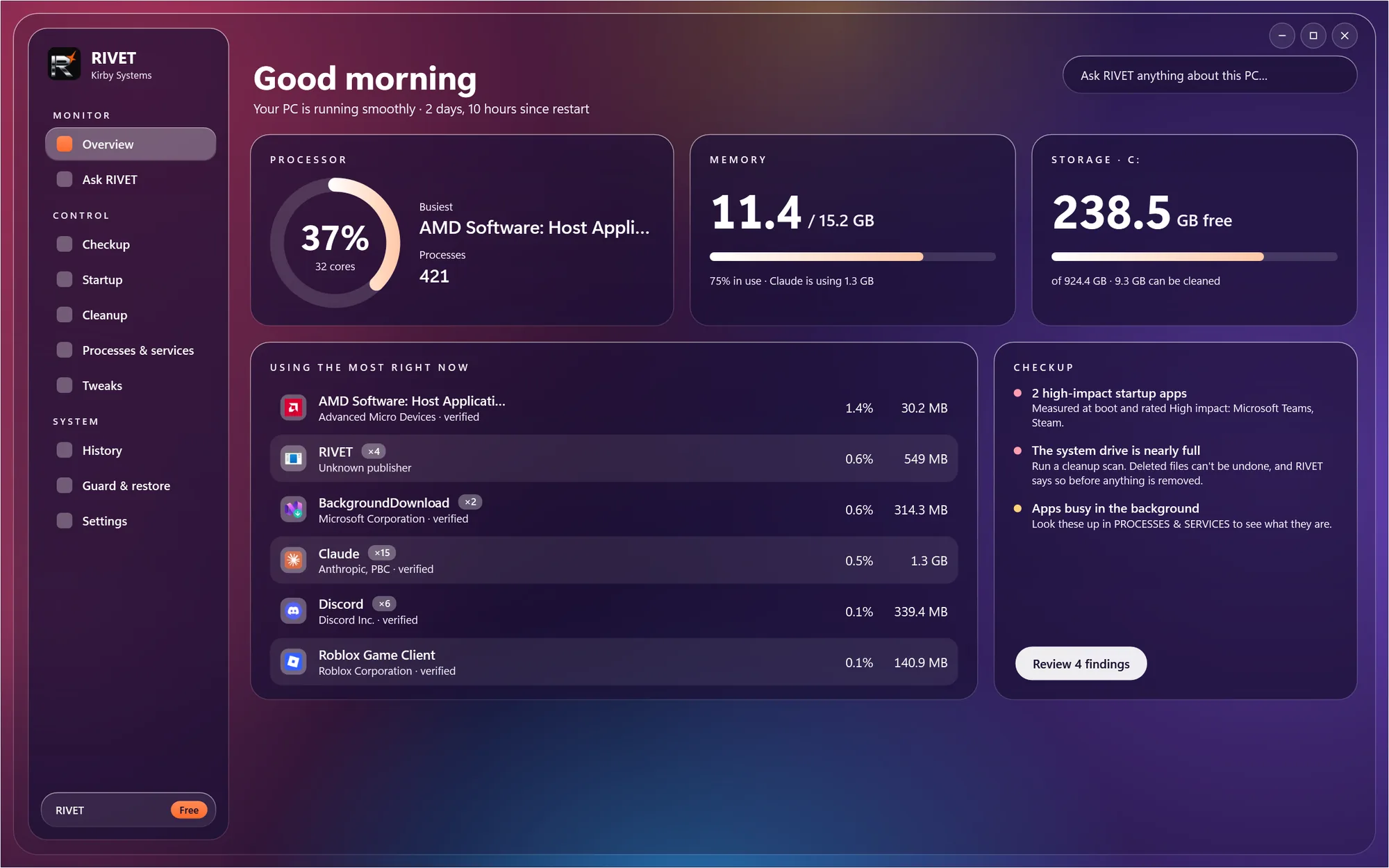
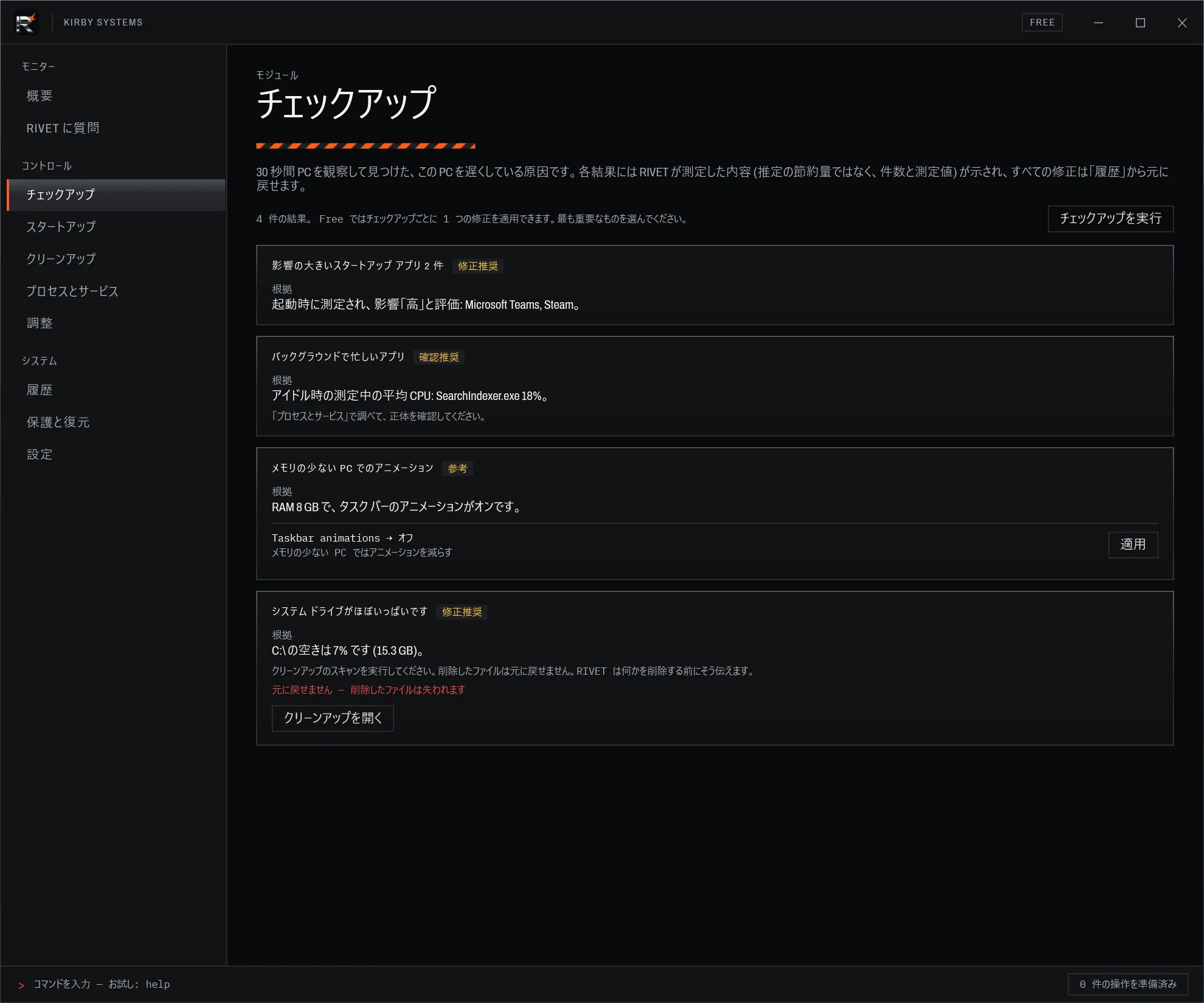
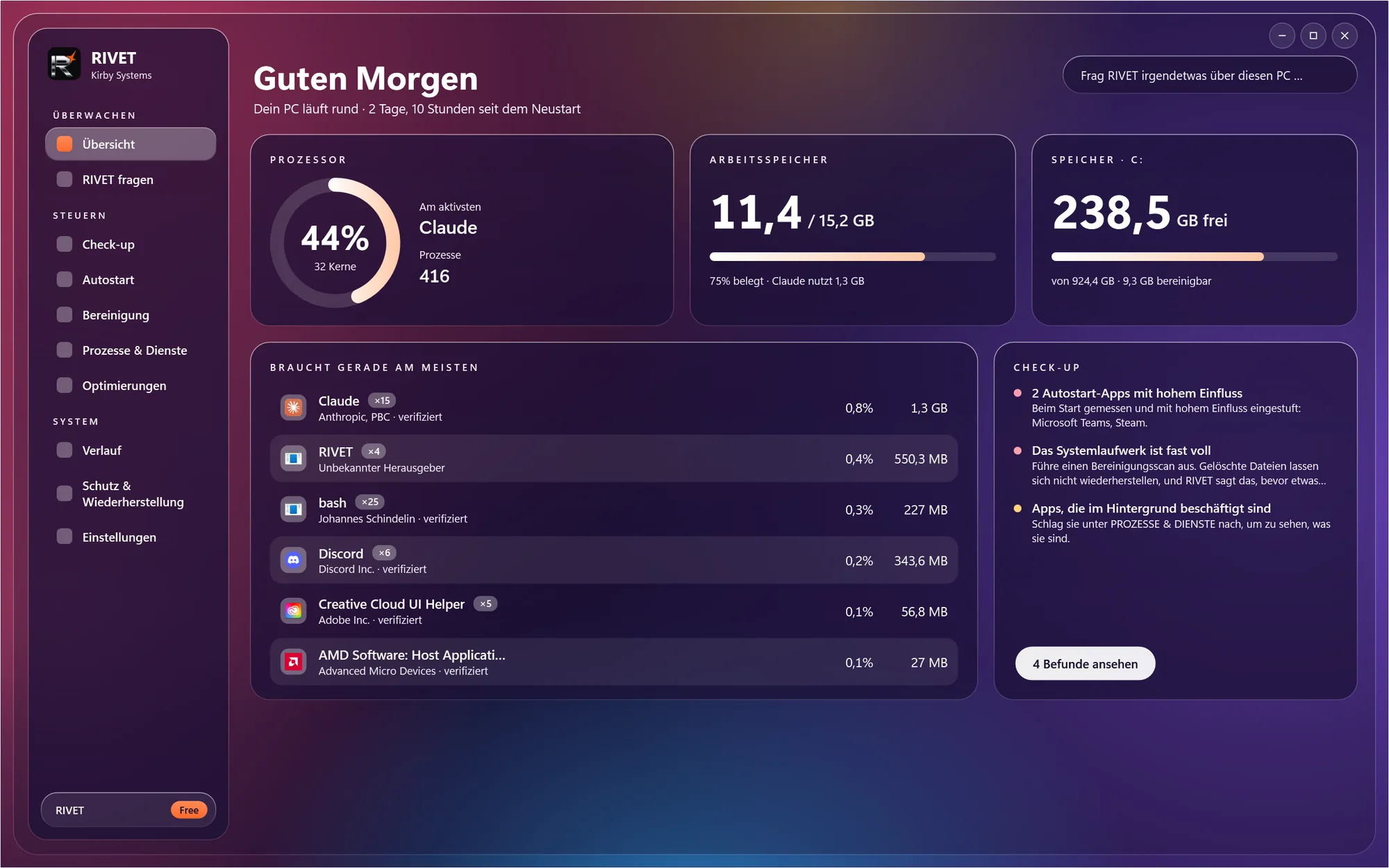
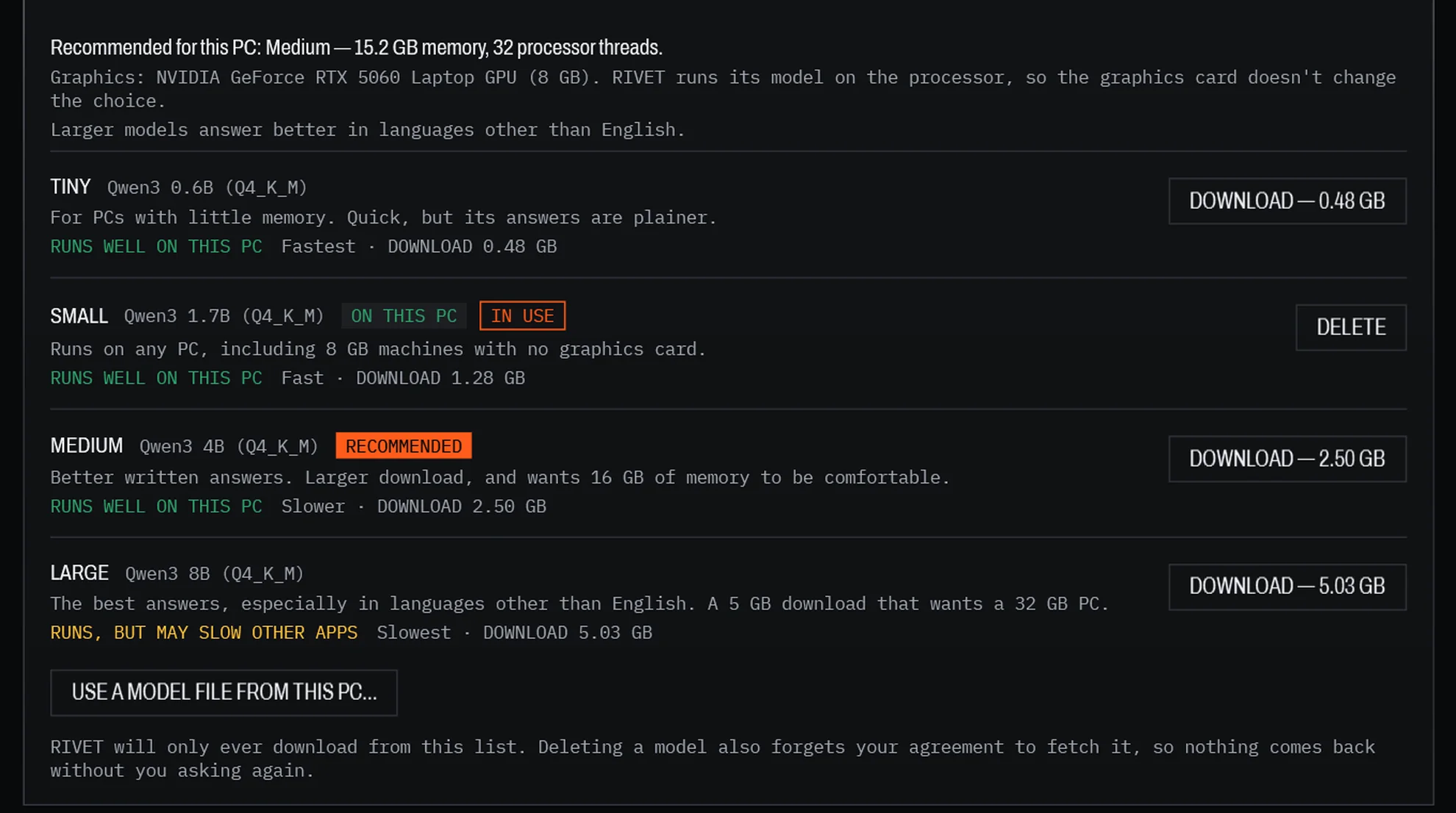
The on-device assistant answers best in English; the larger models write better in other languages. Since 3.7, saved history records follow your language too.
Free does the job. Pro goes deeper.
Install free. Everything is unlocked for 14 days (once per computer); after that Free keeps working and Pro is a single $4.99 purchase in the Microsoft Store. Undo is never behind the paywall.
Free
+Overview, processes & services, the "what changed" timeline+Checkup — one fix per run; what the last Windows update changed, with Restore+Startup manager — disable any entry, delay up to two+Cleanup — temp files, browser and thumbnail caches, Recycle Bin+Tweaks — privacy & telemetry, context menu, visual effects+History with undo, Windows AI feature switches, profile import
Pro
+Everything in Free+Ask Rivet and Spark — the on-device assistant, with answer cards and previewed fixes+Guard — re-applies the choices you protect after a Windows update resets them+Roll back to a date, and Checkup's fix-everything in stages+"Why is my PC slow?" — diagnosis and staged one-click fixes+The full tweak catalogue — power, Explorer, search & Copilot+Advanced cleanup — Windows Update leftovers, crash dumps+Unlimited startup delays+A written digest of what changed, and exporting your settings as a profile
Two other things that carry the name.
Neither is the current app. Both keep their own pages and stay available.
Rivet XP
Not a Rivet release — its own app, with its own Store listing. A Windows XP–themed task manager built for XP's twenty-fifth anniversary: performance graphs, a live process list, focus timers and a rank ladder. No AI, and no network connections of any kind.
Open the XP page →Standalone · v1.0
Rivet 2.1
The previous generation, and the one Rivet grew out of: a system manager written as a single PowerShell file that draws a HUD in a console window. No installer, no packaging — it just runs. Its tasks, notes and rank import straight into the current app.
Open the 2.1 page →Legacy · v2.1
The long version.
Written for people who want the specifics before they install anything — reviewers especially.
Innovation
How Ask Rivet runs entirely on your machine: Qwen3 on llama.cpp in the size that suits your PC, downloaded once on consent, with no network calls after that — and how every change is captured so it can be put back.
Read it → 02Technical notes
Every registry key, deleted file location, rollback limit, network path and elevation behaviour the app touches — plus the known limitations, stated plainly.
Read it → 03Versions & changelog
Every release that carries the Rivet name and exactly where it stands, including the archived 1.x and 2.0 builds that are no longer distributed.
Read it →Questions worth asking.
What is Rivet, exactly?
A Windows desktop app from Kirby Systems. It shows what your PC is doing — resource use, processes, startup apps, services — and lets you change it with a preview first and a history afterwards. It runs on your own machine. Rivet XP is a separate task manager and Rivet 2.1 is the legacy script; both are listed above.
What can be undone?
Windows settings (the Tweaks screen), startup apps and service start types can be undone even after you close and reopen Rivet. The history keeps the previous value, and before putting it back Rivet checks the setting is still what it left; if something else changed it since, it tells you and leaves it alone.
Stopping or restarting a service can be undone while Rivet is open. Cleanup deletes files and ending a process ends it — neither can be undone, and Rivet says so before you confirm. Each row in History says which kind it is.
Does Rivet send anything off my device?
There is no telemetry and no account. The one network request Rivet itself makes is the optional download of the assistant's model (0.48 GB to 5.03 GB, depending on the size you pick), and only when you choose it. After that the assistant runs offline on your own hardware. Rivet XP makes no network connections at all.
Does it need administrator rights?
Rivet itself never runs as administrator. It monitors your PC and runs most features as a standard user. A few actions that change protected Windows settings or services need administrator permission; Rivet tells you when, and either opens the right place in Windows for you or, if you turn on Admin mode, asks Windows for permission each time through Windows' own prompt. Settings lists every capability the app uses.
What does it cost?
Installing is free. For 14 days everything is unlocked (once per computer); after that Free keeps working and Pro is a one-off $4.99 purchase through the Microsoft Store — no subscription. The Store shows it in your local currency. Rivet 2.1 is retired and free to download on itch.io.
Do I have to use the AI?
No. Every screen works without a model — the assistant adds plain-English explanations and answers on top. Download it from the Ask Rivet screen if you want them; delete it from the same screen if you don't. Nothing downloads until you say so.
Which Windows versions does it run on?
Windows 10 version 2004 or newer, and Windows 11. x64 only. The runtime ships inside the package, so there are no prerequisites to install first.